the emit plug-in: a tour
every key and window on the plug-in, numbered.
put emit on your master bus (or any track you want to send or stream). emit needs you signed in. once signed in, it stays signed in, even offline.
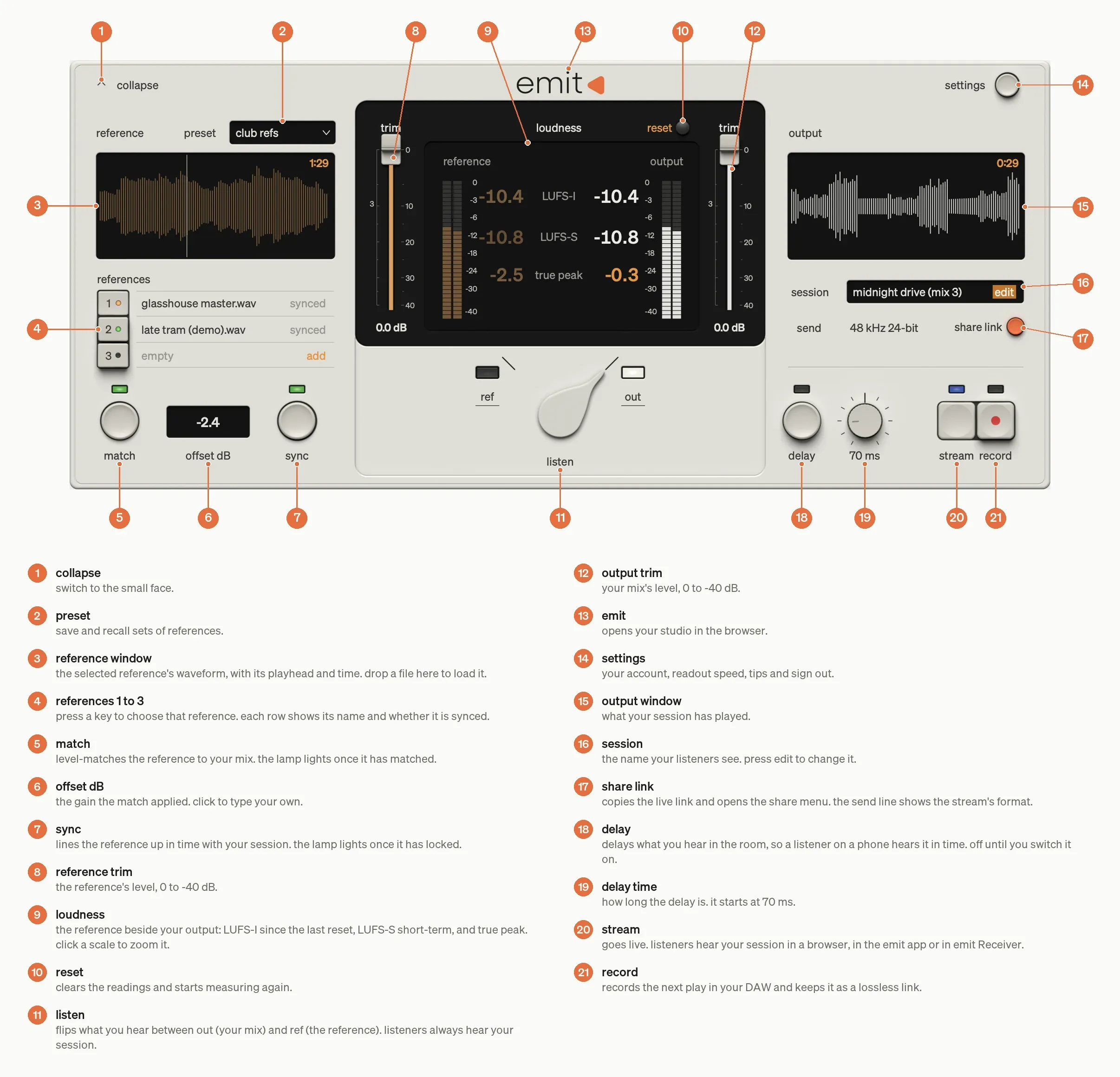
- collapse: switch to the small face.
- preset: save and recall sets of references.
- reference window: the selected reference's waveform, playhead and time. drop a file here to load it.
- references 1 to 3: press a key to choose that reference. each row shows its name and whether it's synced.
- match: level-matches the reference to your mix. the lamp lights once it has matched.
- offset dB: the gain the match applied. click it to type your own.
- sync: lines the reference up in time with your session. the lamp lights once it has locked.
- reference trim: the reference's level, 0 to -40 dB.
- loudness: the reference beside your output: LUFS-I since the last reset, LUFS-S short-term, and true peak. click a scale to zoom it.
- reset: clears the readings and starts measuring again.
- listen: flips what you hear between out (your mix) and ref (the reference). listeners always hear your session.
- output trim: your mix's level, 0 to -40 dB.
- emit: opens your studio in the browser.
- settings: your account, readout speed, tips and sign out.
- output window: what your session has played.
- session: the name your listeners see. press edit to change it.
- share link: copies the live link and opens the share menu. the send line shows the stream's format.
- delay: delays what you hear in the room, so you're in time with a listener on a phone. off until you switch it on.
- delay time: how long the delay is. it starts at 70 ms.
- stream: goes live. listeners hear your session in a browser, in the emit app or in emit Receiver.
- record: records the next play in your DAW and keeps it as a lossless link.
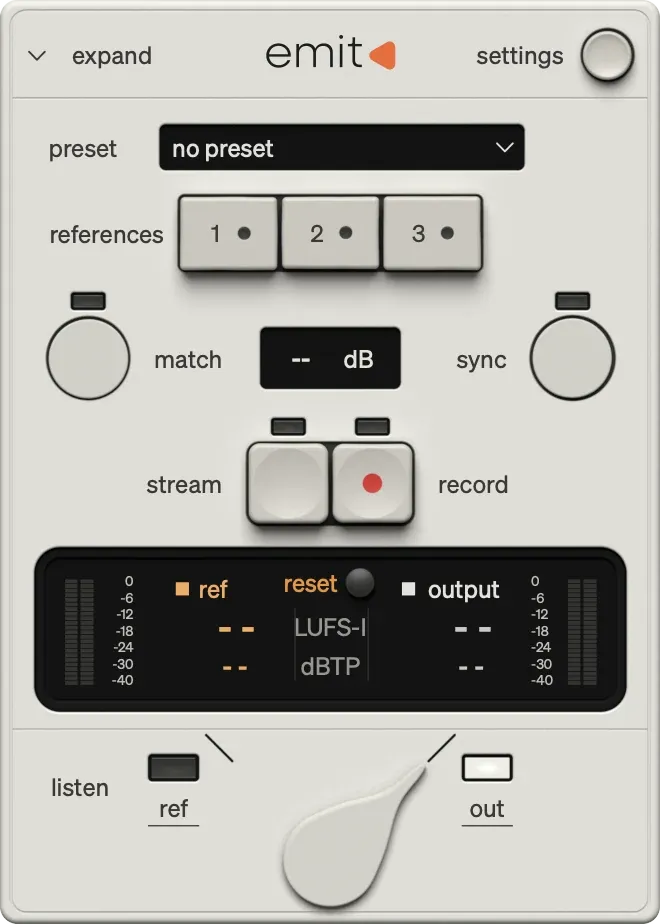
the small face
press collapse (1) to fold emit down to the meter, references and listen lever.
Was this helpful?
Still need help? Ask the team